One stock per shop, and the overview at head office
Each shop has its own stock, permissions and alerts. Pieces move from one shop to another without you losing track of them.
- Two shops included with the Global plan, more as an option
- Unlimited users
- Transfers tracked between shops
What gets complicated from the second shop
A piece tracked down by phone
A customer asks for it in one shop, and it may be in another: without stock per shop, you have to phone around.
Transfers with no trace
A piece leaves one shop for another. If it does not arrive, who sent it, and when?
Blurred permissions
A salesperson in one shop has no need to see another shop’s figures, nor the accountant to edit a sale.
Figures stitched together by hand
Each shop sends its spreadsheet; the overview arrives several days late.
Your shops, screen by screen
The shop is chosen at the top of each screen. Here is what you read there.
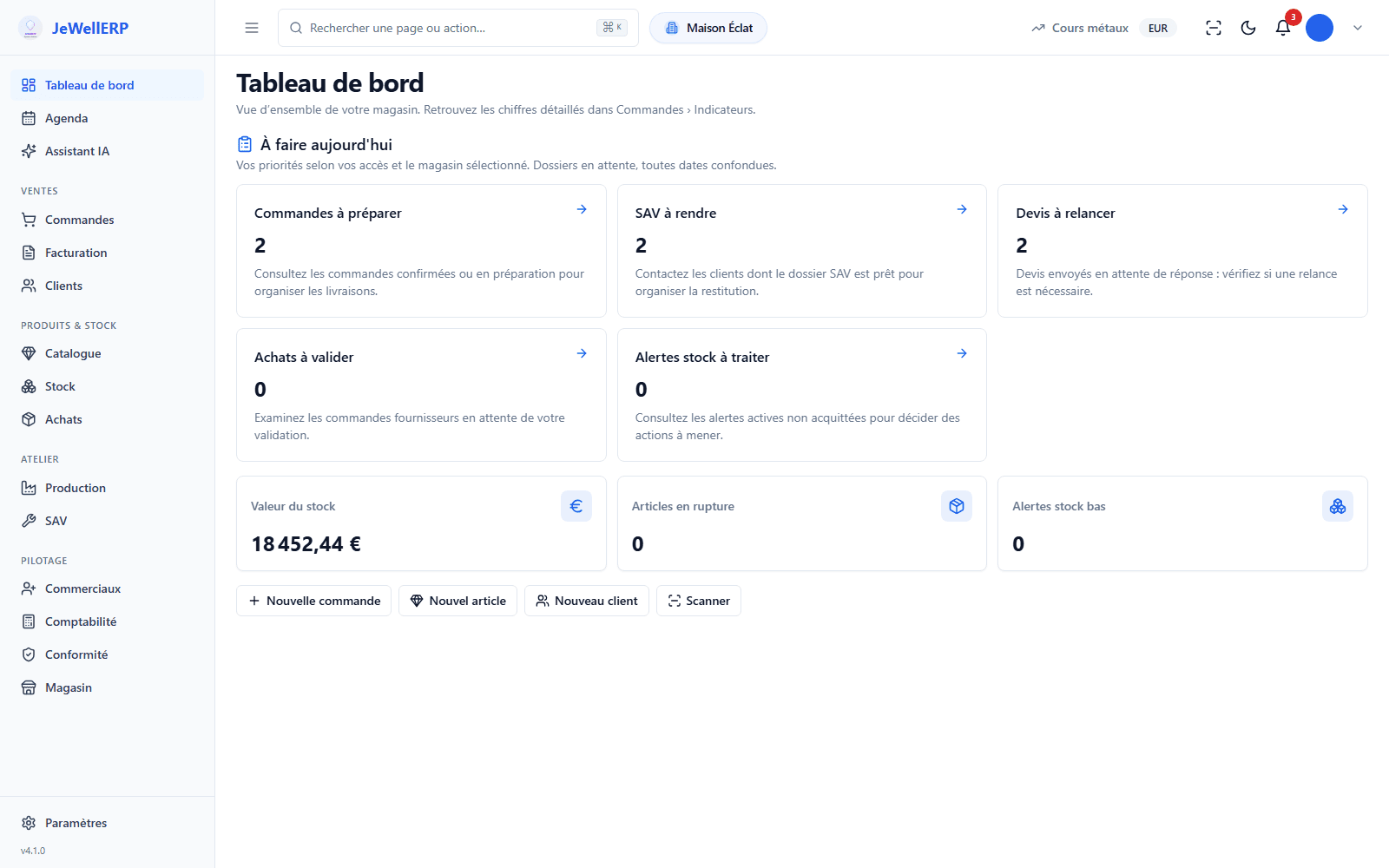
What is waiting for each shop today
At opening, the dashboard lists what is waiting for the selected shop: orders to prepare, repairs to hand back, quotes to follow up, purchases to approve, stock alerts, transfers to receive.
- According to the chosen shop and each person’s rights
- One counter per list, one click to open it
- Pending jobs, all dates combined
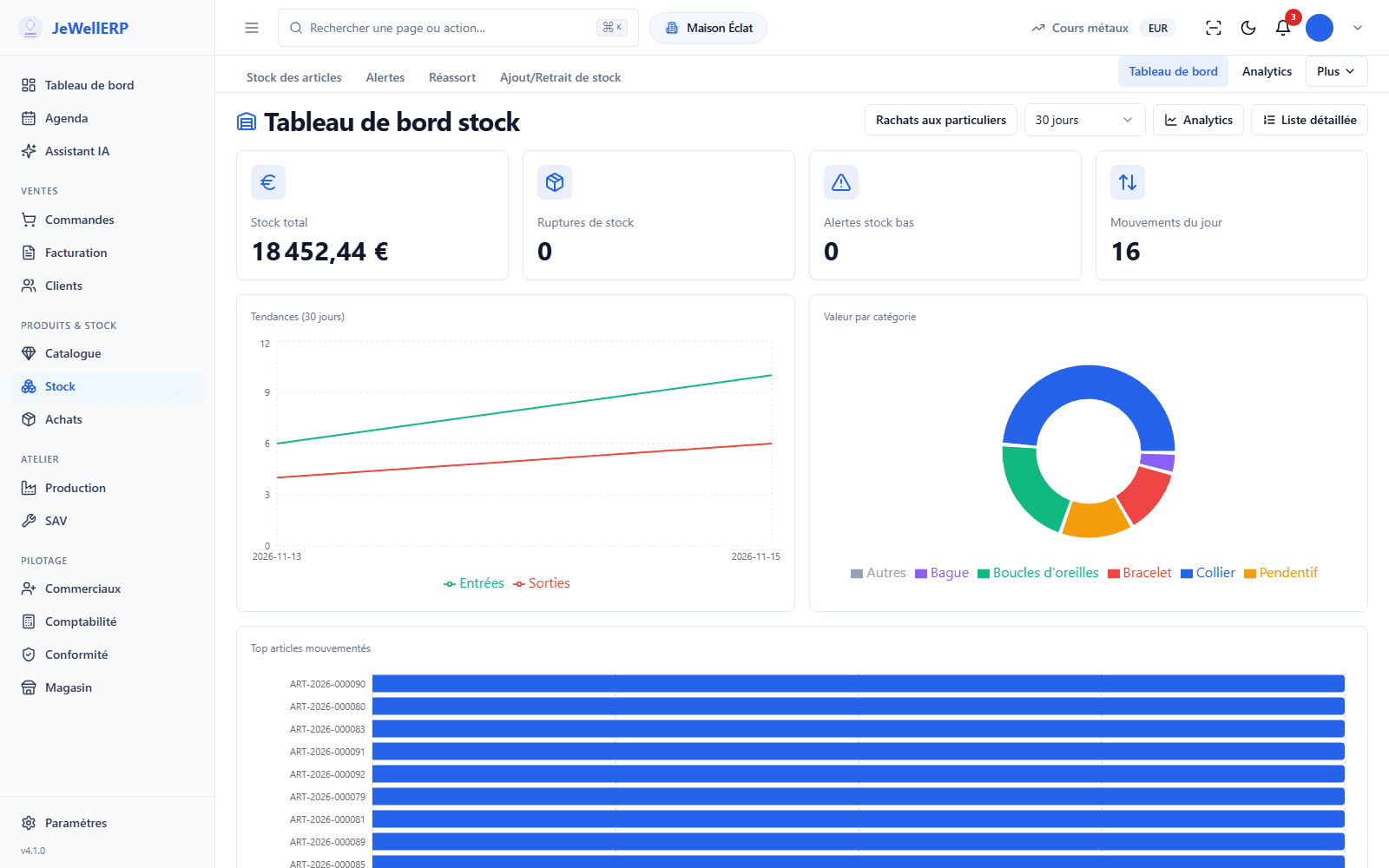
The stock of the chosen shop
Stock value, stock-outs, low-stock alerts and the day’s movements: the dashboard is read for the selected shop.
- Levels per item and per shop
- Replenishment thresholds and alerts per shop
- Stock value per category
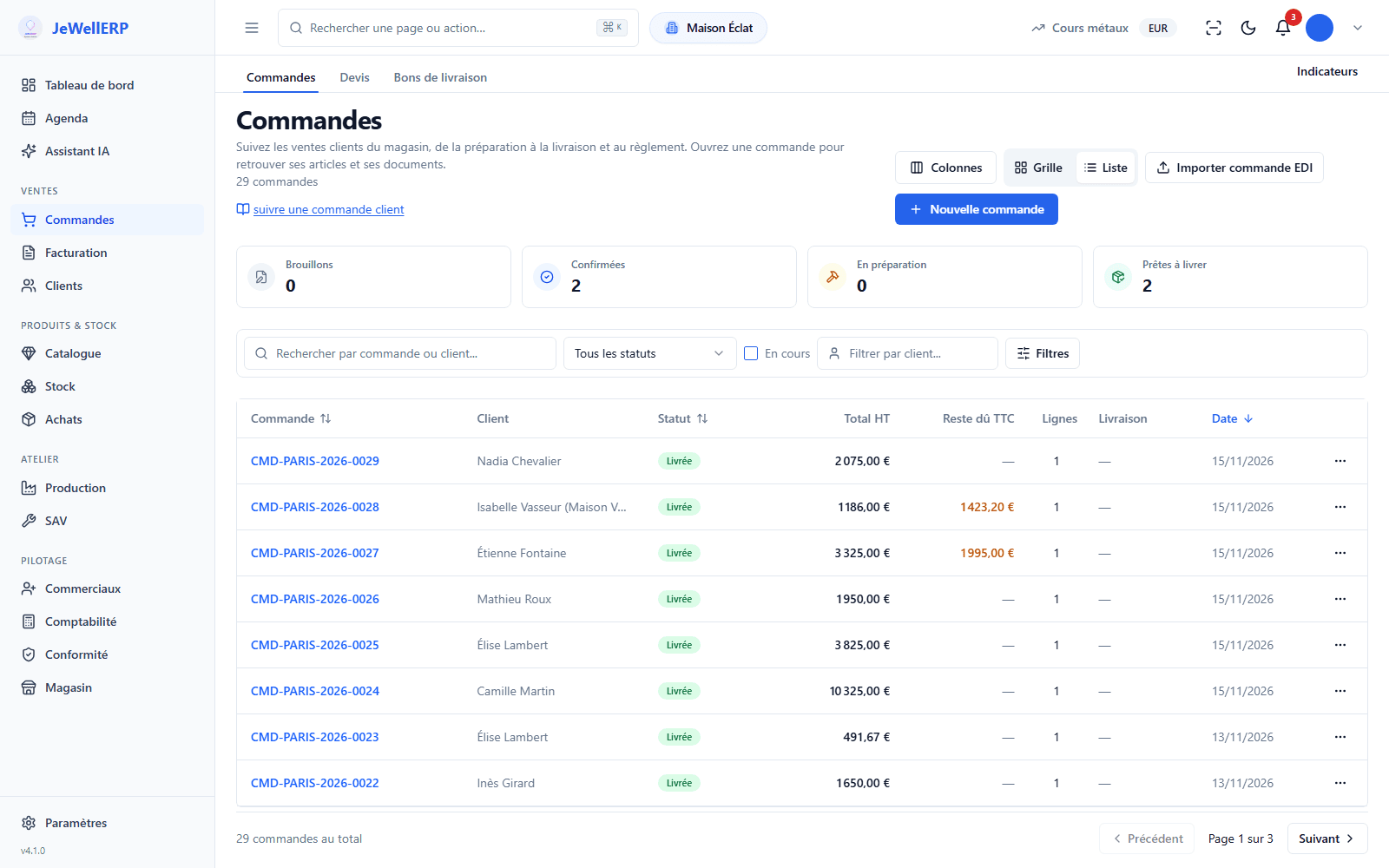
Orders, with what is still owed
Confirmed, in preparation, ready for delivery: the state of each order and the balance due can be read on the line.
- Numbering specific to each shop
- Quotes, delivery notes and invoices attached
- Balance due flagged in colour
What JewellERP changes between your shops
- Transfer accepted or refused on receiptA transfer leaves one shop and waits for its receipt in the other, which accepts or refuses it.Several shops
- Permissions set by shop and by personEveryone works in their own shop, with their role. Permissions are adjusted person by person.Several shops
- One-of-a-kind piece, one saleThe serial number follows the piece from one shop to another: it cannot appear in two orders.One-of-a-kind pieces and stocktake
- Your online shopsShopify connector, and creating WordPress websites from your shops with the Global plan, as an option, set up on quotation.Integrations
Your questions
One shop with the Essentiel plan; with the Global plan, two shops included and additional shops as an option (beyond ten, on quote); an unlimited number with the licence on your own server.
Not with each salesperson: users are unlimited. The Global plan includes two shops; each additional shop is added to the price, according to the price list.
Yes. The register is kept shop by shop, from each shop’s stock movements.
Yes. The software handles several currencies, and the stock value is read currency by currency. VAT rates, legal statements and tax identifiers are offered per country, as starting values.
The recommended plan
Global plan
Two shops included and more as an option, unlimited users, transfers and reporting between shops, creating WordPress websites from your shops (as an option, set up on quotation).
- 2 shops included, more as an option
- Unlimited users
- Everything in Essentiel
- Additional shops as an option, transfers and reporting across shops
- WordPress websites created from your shops, as an option (design on quote)
€399excl. VAT per month
Or €3,990 excl. VAT per year, i.e. 10 months paid instead of twelve.
Optional onboarding: €1,190 excl. VAT, one-off.
Launch offer: free standard onboarding for the first 10 customers, with any monthly or yearly subscription taken out up to and including 31 March 2027.
Would you rather install the software on your own premises? See the licence on your own server
See JewellERP on the cases of your jewellery shop
A no-obligation demo on your own pieces and jobs. Or a 14-day free trial, on an instance we set up for you.