One-of-a-kind pieces and stocktake, Every plan
A one-of-a-kind piece is sold only once
Each piece carries its serial number, its tag and its history. Once reserved for an order, it cannot go into another. At stocktake, the barcode scanner counts and every discrepancy has its reason.
Key facts
- Seven states tracked In production, in stock, reserved, in repair, in transit, sold, withdrawn.
- Double sale refused A piece reserved for one order is refused on any other order.
- Four-eyes stocktake Each discrepancy has its reason, and a second person signs off the stocktake.
From tag to stocktake, piece by piece
An antique ring or a solitaire taken in part-exchange exists in a single copy. JewellERP tracks it individually.
QR or barcode tags, in your formats
Sheets of labels with a QR code or barcode, in the formats you set.
One scan, one record
The barcode scanner opens the piece’s record, at the counter as at stocktake.
Each piece’s story
Production, reservation, repair, transfer, sale: everything stays in the record.
A targeted stocktake
The whole shop or just a part: you choose the scope counted.
A stocktake, from opening to sign-off
The same journey for the annual stocktake or for a quick recount of a display after a busy day.
Open the session
Choose the scope to count.
Scan
Each piece goes past the scanner. A piece scanned twice is counted only once.
Read the discrepancies
Missing or surplus pieces stand out on their own.
Explain
Each discrepancy gets a reason, chosen from a list of seven.
Sign off
A second person signs off, and the stock is corrected.
Articles, their stock and their serial numbers
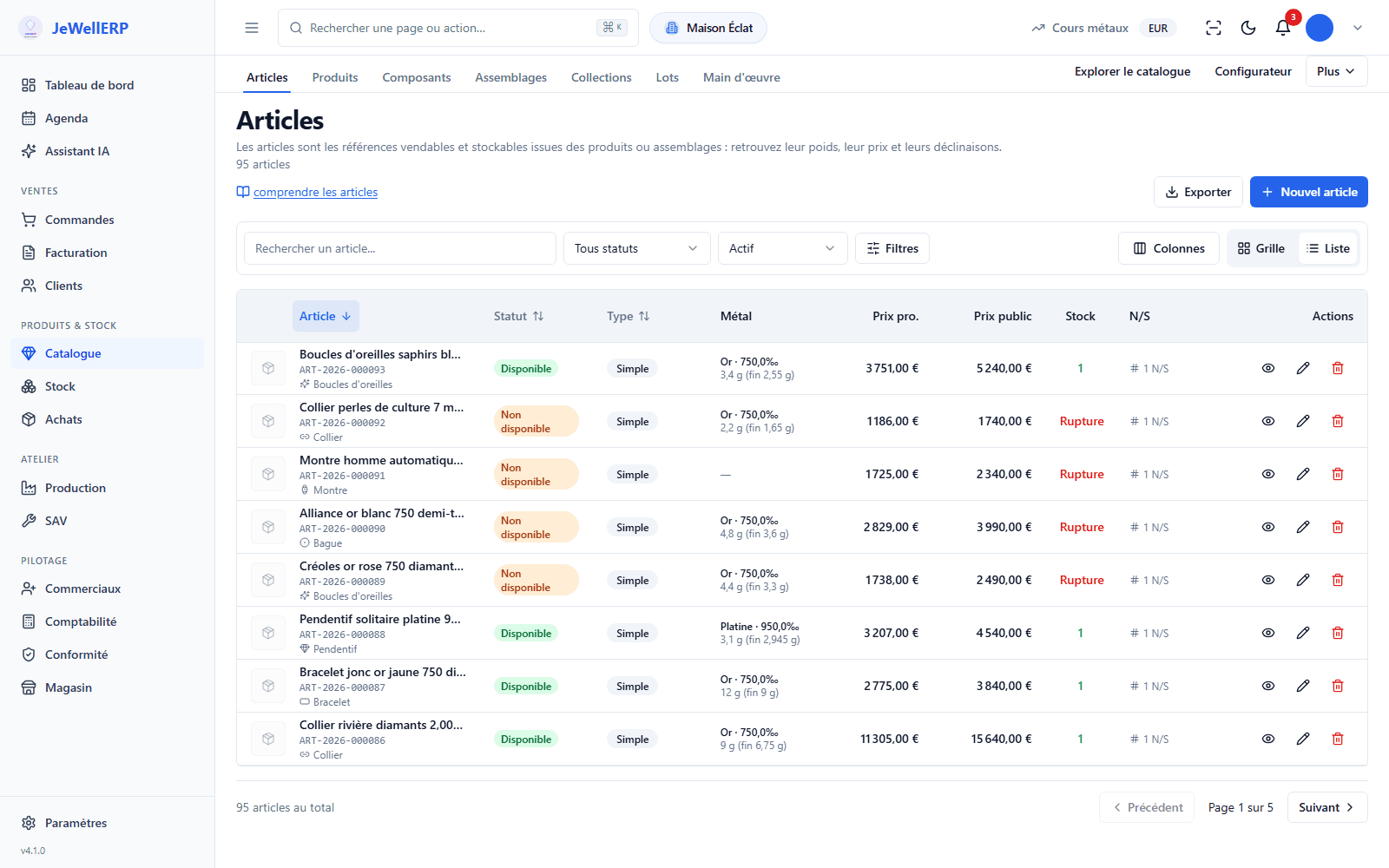
The article catalogue of the demonstration shop.
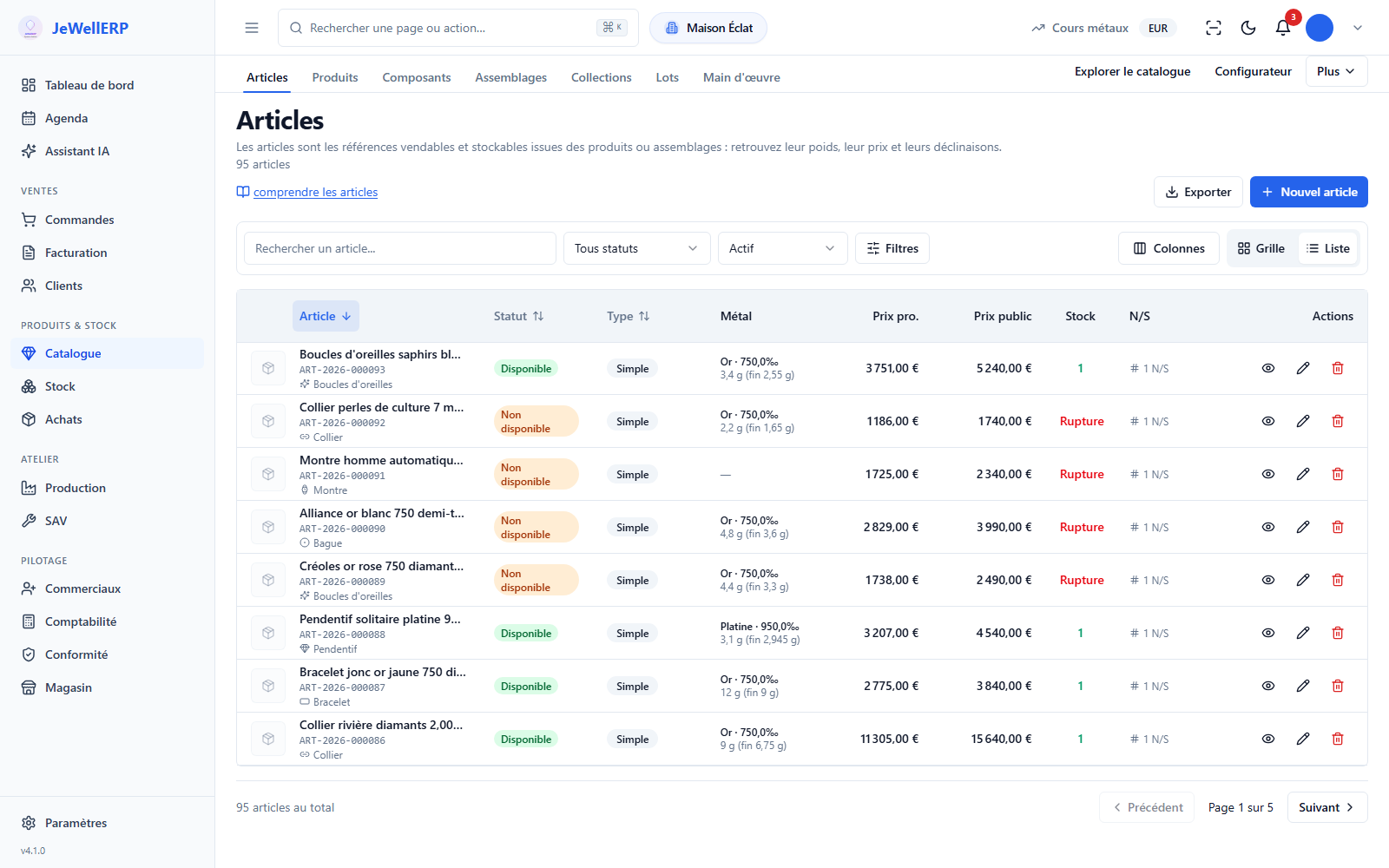
On this screen
In detail
- In production, in stock, reserved, in repair, in transit, sold, withdrawn.
- Each change of state stays in the piece’s history.
- A piece reserved for one order is refused on another order, with a clear message.
- A piece being transferred between shops is in transit: it cannot be sold on the way.
- Scanning the tag opens the record: price, state, history.
- A reserved piece appears as such: the salesperson knows before showing it.
- A piece that comes back after a return goes back into stock, with a trace of the return.
- QR code or barcode.
- Label formats adjustable in the settings.
- Stocktake sessions with their scope and their state.
- Scanning without double counting, discrepancies listed, a reason asked for each one.
- Sign-off by a second person before the stock is corrected.
What JewellERP does, and what it does not do
What it does
- Tracks each piece by its serial number and history.
- Refuses the same piece on two orders.
- Prints QR or barcode tags.
- Requires a reason for each stocktake discrepancy.
What it does not do
- It does not read RFID chips.
- It does not pause the sales on your website during the stocktake.
On video
A short vertical film, one click to play.
Your questions
A scanner that types like a keyboard, USB or wireless, is enough. It reads the QR codes or barcodes on your labels.
They are tracked by quantity, with no serial number. You choose, item by item, which ones deserve a number.
It moves to the “in repair” state for the length of the job, then returns to stock or to its owner.
Try selling the same piece twice
In a demo, we reserve a one-of-a-kind piece then try to put it on another order.
Next feature: Product configuration